Applying Payments
If your clients are paying for their reservation in installments, here's how to enter their payment information into VAX.
- Retrieve the confirmed reservation by clicking the Retrieve Reservation link in the top navigation bar.
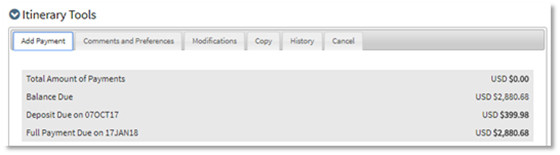
- Click the Add Payment tab in the Itinerary Tools panel.
- Enter your client's payment information into the applicable fields. You can apply payment on up to four different credit cards by choosing the Number of Payments from the drop-down list. This is convenient when multiple members of a party are paying for their own portion of a total balance.
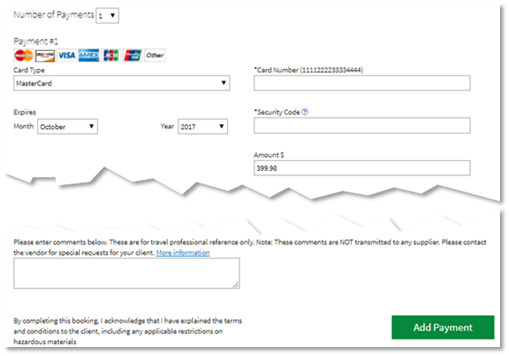
- Once all the payment information is entered, click Add Payment.