Select the Multiple destinations radio button after starting in the Advanced Search screen and complete the applicable fields.
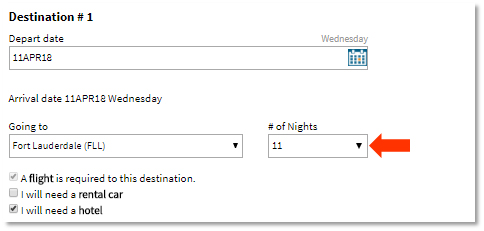
For Destination #1, enter the embarkation city and complete all fields. The # of Nights field should include the number of hotel nights required before the cruise plus the entire length of the cruise. In the example below, the client is arriving the day before the cruise, requiring a one-night stay in a hotel, and then departing on a 10-day cruise, equaling a total of 11 nights in Destination #1.
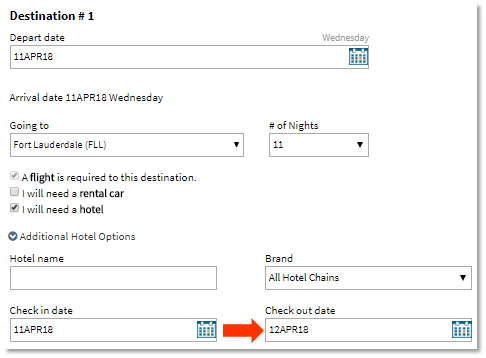
Expand the Additional Hotel Options panel and alter the checkout date to accommodate the number of nights needed at the hotel. The Reservation Tool will then only search for a hotel for the designated number of nights instead of the entire length of the cruise.
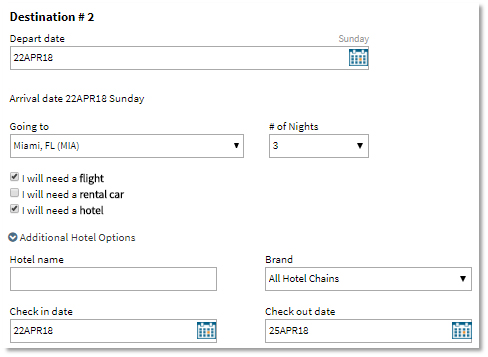
For Destination #2, enter the disembarkation city and complete the remaining fields. Expand the Additional Hotel Options. The check-in date should reflect the date the cruise returns to port. The checkout date will auto-populate according to how many nights are selected for Destination #2.